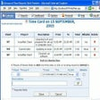
Enables users to view and collaborate on Microsoft Project plans without needing the full MS Project suite
Enables users to view and collaborate on Microsoft Project plans without needing the full MS Project suite
Vote (1 votes)
Program license Free
Developer Seavus
Version 11.1
Works under Windows
Vote
(1 votes)
Developer
Seavus
Works under
Windows
Program license
Free
Version
11.1
Pros
- Full compatibility with MS Project (.mpp) files across multiple versions
- Comprehensive project view options (Gantt, Resource, Task, etc.)
- Lightweight and fast performance
- Does not require Microsoft Project installation
- Advanced collaboration and comment features
Cons
- Lacks the ability to edit or create .mpp files
- Advanced resource management features are limited
- Interface may be overwhelming for novice users
A dedicated solution for viewing and analyzing Microsoft Project files (.mpp).
Overview
Seavus Project Viewer is a robust application designed for professionals who need to access, review, and print project plans created with Microsoft Project (.mpp files) without owning a full Microsoft Project license. The software is aimed primarily at team members and stakeholders, offering a reliable alternative to manage project visibility and collaboration while maintaining the structure and fidelity of the original project documents.
Comprehensive Viewing Capabilities
Seavus Project Viewer supports the native Microsoft Project (.mpp) file format, offering full compatibility for files created in Microsoft Project 2003 through 2021, as well as Office 365 project plans. The interface closely mirrors that of Microsoft Project, providing familiar Gantt Chart, Task Usage, Resource Sheet, and Calendar views. This parallel design enables effortless navigation and minimal learning curve for users transitioning from Microsoft's platform.
Collaboration & Communication Features
The software includes advanced collaboration tools tailored for project team environments. Users can insert comments, attach files, and update task progress, which can then be communicated back to project managers. Support for importing master project plans from Microsoft Project Server 2013 enhances collaboration within organizations using centralized project management infrastructure.
Performance and Usability
Seavus Project Viewer stands out for its fast loading times and low resource usage. The lightweight design ensures smooth performance, even when handling large and complex project files. Installation is straightforward, with no need for Microsoft Project to be installed. This makes the application accessible for a wide range of users and reduces organizational software costs.
Data Integrity and Security
All project file information, including critical paths, custom views, and formatting, are preserved when opening .mpp files. Seavus Project Viewer is read-only by default, providing an additional layer of protection against accidental changes or data loss, which is especially valuable in environments where data consistency is paramount.
Additional Tools and Integrations
The application offers integration options with SharePoint and Project Server, as well as support for opening multiple files simultaneously. Printing functionality is comprehensive, allowing flexible report generation and output customization for both individual tasks and full project overviews.
Conclusion
Seavus Project Viewer excels as a dependable tool for organizations that require widespread project plan visibility without the additional expense or complexity of Microsoft Project licenses. Its array of viewing features, collaboration tools, and high compatibility make it a strong choice for teams prioritizing efficient project communication and access.
Pros
- Full compatibility with MS Project (.mpp) files across multiple versions
- Comprehensive project view options (Gantt, Resource, Task, etc.)
- Lightweight and fast performance
- Does not require Microsoft Project installation
- Advanced collaboration and comment features
Cons
- Lacks the ability to edit or create .mpp files
- Advanced resource management features are limited
- Interface may be overwhelming for novice users